
New! Sign-up using Facebook Connect and get your tax extension for FREE! Learn More.
How It Works: Filing a Business Tax Extension
You’re only a few minutes away from getting a 5-to-6-month tax extension for your business. Here’s how to extend your IRS business income tax deadline to September 15 using FileLater to e-File Form 7004.
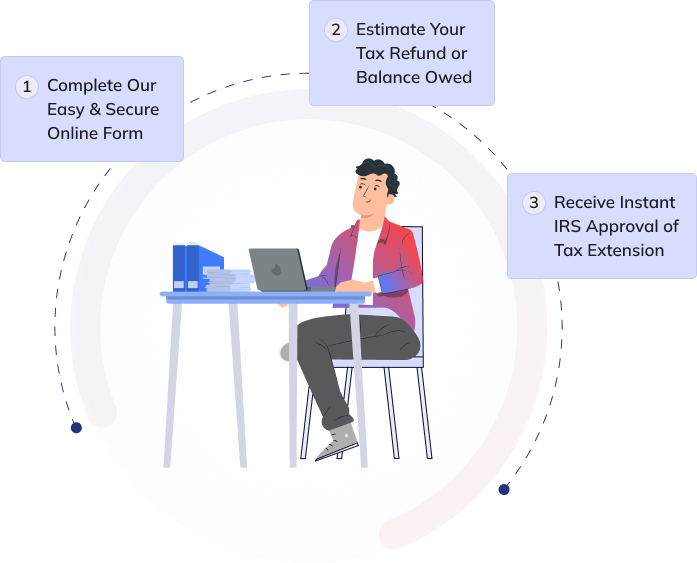
Step 1: Provide the business data the IRS requires for you to file a tax extension. This includes the business name, address and Tax-ID/EIN. Prior year tax returns and all of those complicated tax forms are not required! All of the information provided is kept secure and not shared with anyone but the IRS, period.
Step 2:Estimate the total income tax payment for the filing year, and provide the amount already paid to the IRS through quarterly payments if applicable. Many business customers simply multiply their profits by last year’s tax rate to estimate the total tax liability for the year. If you expect to owe, and want to make a tax payment to avoid potential IRS interest and late payment penalties, we can help you make that payment directly to the IRS via Electronic Funds Withdrawal from your business bank account (EFT).
Step 3:Once you submit your business tax extension with FileLater, we will electronically e-file it to the IRS for approval. FileLater is an authorized IRS e-file provider which means your data, and our transmission to the IRS, is safe… so you have nothing to worry about.
That’s all it takes. In about a day, when we hear back from the IRS, we'll send you an email notifying you that your business income tax extension was approved by the IRS. If for any reason your tax extension is rejected, we’ll tell you why, and you can resubmit for free after making any changes. Almost all rejections are caused by a Tax-ID not matching IRS records (caused by typos or change of filing information not on records with the IRS).As long as you submit your information accurately and on time, it should be approved - that’s why the IRS calls it an “Automatic Extension".